
For iPhone and iPad
Block Reels on Instagram. Keep your messages.
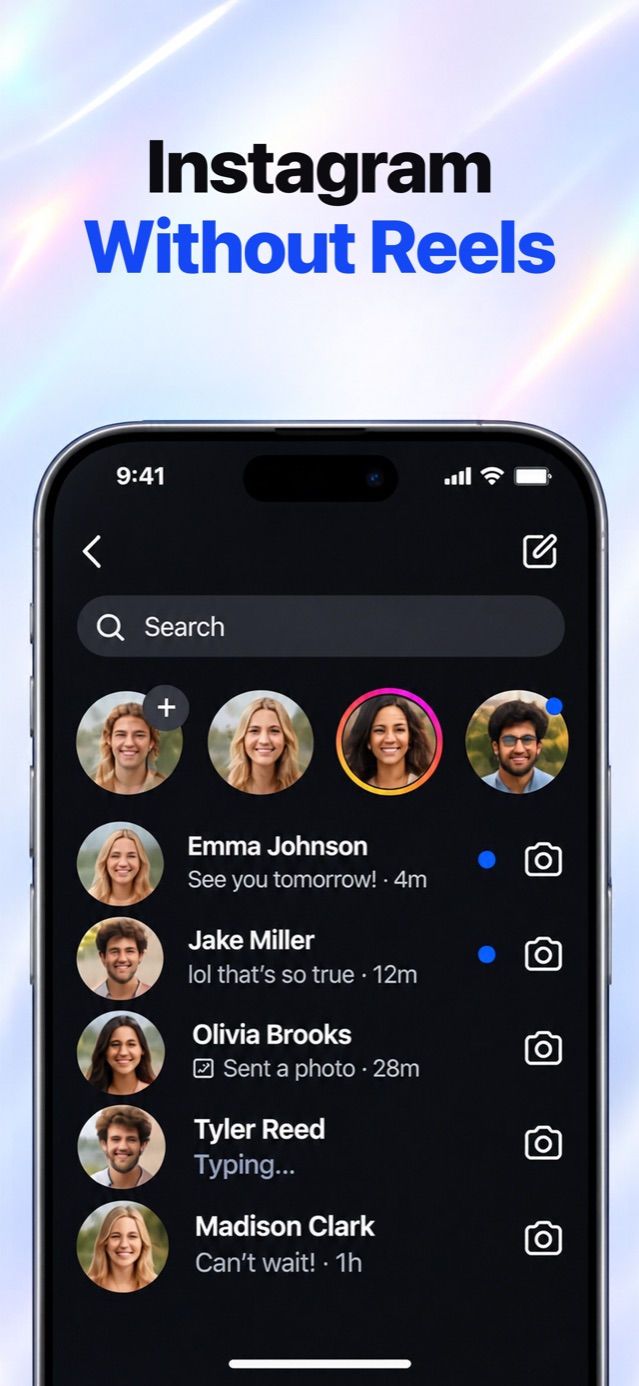
Unscroll opens straight to your Instagram inbox. Reels, the home feed and Explore stay out of sight, so replying to a friend takes a minute instead of forty.
Free to download. 3-day free trial on the yearly plan.
What you keep
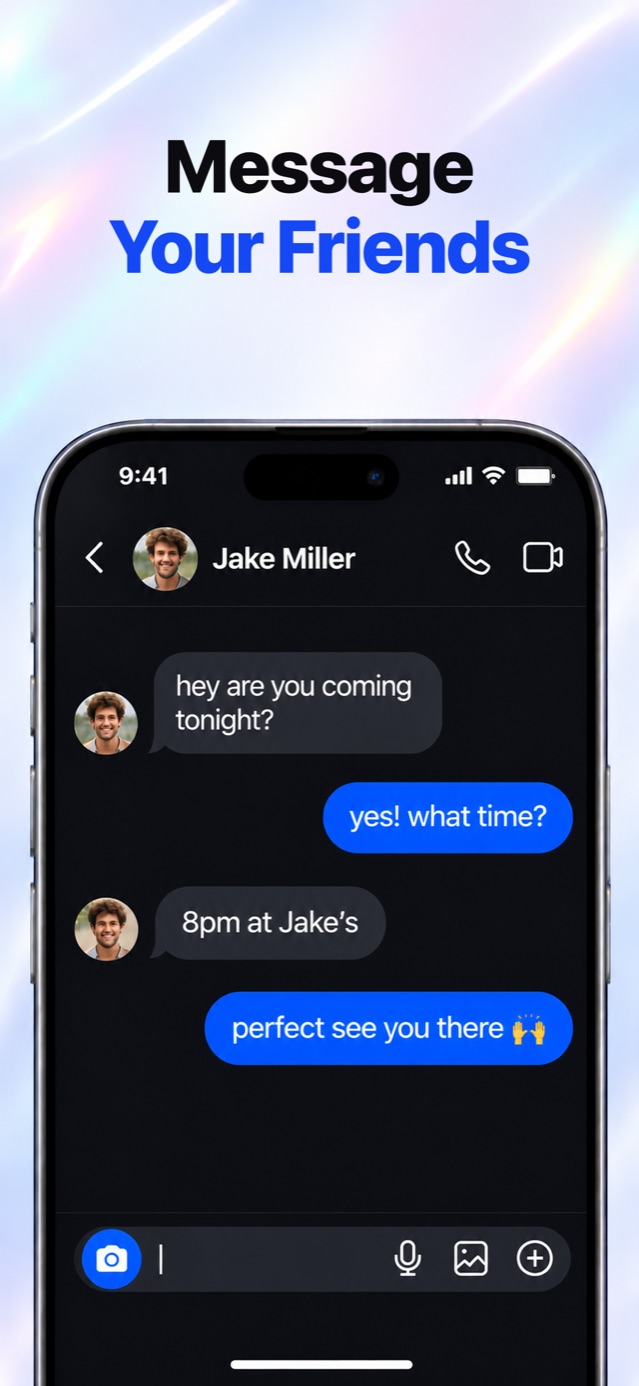
- DMs, group chats and message requests
- Stories from people you follow
- Your notifications and profile
- Messages sync with the Instagram app
What goes away
- Reels and the endless video feed
- The home feed and suggested posts
- Explore and the search rabbit hole
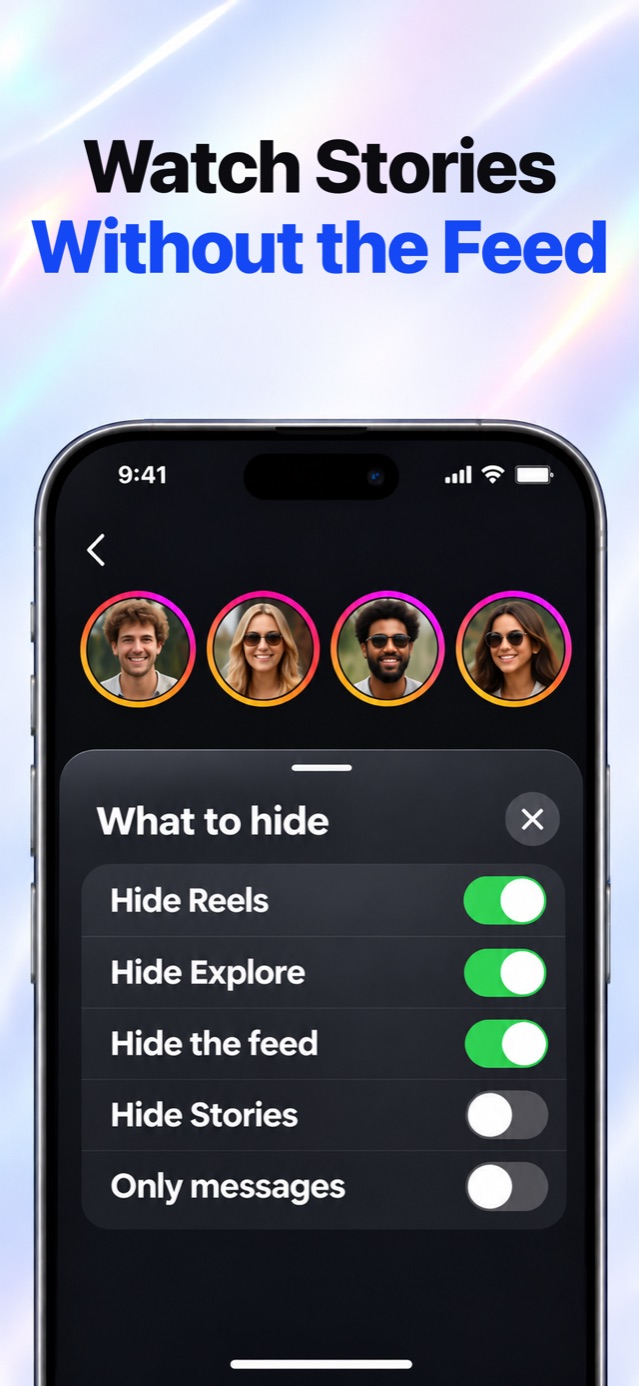
- Stories too, if you want
Instagram messages without Reels, Explore or the feed
How Unscroll works
- 1
Sign in on instagram.com
You log in on Instagram's own web page inside the app. Unscroll never sees or stores your password.
- 2
Choose what to hide
Reels, Explore and the home feed are off by default. Stories are up to you, or switch on Only messages.
- 3
Lock the Instagram app (optional)
Connect Apple's Screen Time and the Instagram app stays locked. Need it to post a story? Pick a reason and unlock it for a few minutes.
Block the Instagram app, keep your DMs
With Apple's Screen Time connected, the Instagram app stays locked while your messages stay open in Unscroll. Need the real app to post a story or make a call? Pick a reason and unlock it for 5 to 10 minutes. When time is up, it locks again. You get three unlocks a day.
Private by design
You sign in on instagram.com inside the app, so Unscroll never sees your password. It never posts, follows or likes anything for you, and your Screen Time data stays on your iPhone.
Guides to using Instagram without the scroll
How to use Instagram without Reels
Instagram has no switch to remove Reels. Here are the workarounds that help, the ones that don't, and how to keep your DMs with Reels gone for good.
Read guideHow to block Reels on Instagram on iPhone
Screen Time blocks all of Instagram, not just Reels. Here is how to block Reels on Instagram on iPhone and still read and answer your DMs.
Read guideCan you turn off Instagram Reels?
Short answer: no. Instagram has no off switch for Reels. Here is what the settings really do and what to use instead if you want Reels gone.
Read guideHow to use Instagram only for messages
Want Instagram just for DMs? See how to message friends without the feed, Reels or Explore, on iPhone and on a computer.
Read guideHow to stop scrolling on Instagram
Practical ways to stop scrolling and doomscrolling Instagram without deleting it: remove Reels and the feed, lock the app, keep your DMs.
Read guideHow to block the Instagram app but keep your messages
How to lock the Instagram app with Screen Time on iPhone and still read and answer DMs, with short unlocks when you need the real app.
Read guideHow to hide the Instagram Explore page and home feed
Instagram won't let you remove Explore or the home feed. Here is what the Following feed does and how to hide both completely on iPhone.
Read guideHow to disable Instagram Reels
Instagram has no off switch, but you can remove most Reels from your feed in four steps, or hide them completely on iPhone with Unscroll.
Read guideQuestions people ask
Can I use Instagram without Reels?
Not inside the Instagram app itself, since Instagram has no setting that removes the Reels tab. Unscroll gives you your Instagram inbox, chats and stories with Reels hidden, so you can message people without seeing a single video. Learn more →
How do I block Reels on my iPhone?
iOS Screen Time can only block the whole Instagram app, not one tab. To block Reels and keep messaging, use Unscroll for your DMs and, if you like, let it lock the Instagram app through Screen Time. Learn more →
Is there a setting to turn off Reels on Instagram?
No. Instagram lets you mute Reels notifications and mark videos as Not interested, but the Reels tab and Reels in the feed stay. Hiding them takes a separate app. Learn more →
Can I use Instagram only for messages?
Yes. Turn on Only messages in Unscroll and the app shows nothing but your inbox and chats. Stories and the feed disappear until you switch them back. Learn more →
Can I block the Instagram app but still get my messages?
Yes. Unscroll locks the Instagram app with Apple's Screen Time while your DMs stay open in Unscroll. You can unlock the real app for a few minutes, up to three times a day. Learn more →
Can I hide the Explore page and home feed?
Unscroll hides Explore and the home feed by default. If you still want posts from friends, you can bring back a feed limited to accounts you follow. Learn more →
Is there an app to stop scrolling on Instagram?
It removes the parts of Instagram built for endless scrolling and counts the time you get back each week. Once Reels, Explore and the feed are gone, there is very little left to scroll. Learn more →
Is Unscroll safe and free?
You sign in on instagram.com, so your password goes to Instagram only, and Unscroll never posts or follows anyone for you. The app is free to download; using it needs an Unscroll Pro subscription, with a 3-day free trial on the yearly plan.
Keep your friends. Lose the scroll.
Get Unscroll on the App Store and open Instagram straight to your messages.
Download on theApp Store