How to use Instagram without Reels
You can't remove Reels from the Instagram app, because Instagram has no setting for it. What you can do is reach your messages, stories and profile through something that leaves Reels out. The easiest way on iPhone is an app like Unscroll, which opens your Instagram inbox with Reels, Explore and the feed hidden.
Why Instagram won't let you turn Reels off
Reels are where Instagram competes with TikTok, and watch time is the number the company cares about most. A button that removed them would cost Meta a lot of viewing hours, so it doesn't exist. People have asked for one for years, including several petitions with thousands of signatures.
So the Reels tab sits in the middle of the bottom bar, and short videos also show up in your home feed, in Explore and inside your DMs when friends share them.
Instagram's built-in ways to see fewer Reels
None of these remove Reels, but they make them quieter:
- Tap the three dots on a Reel and choose Not interested. It trains the feed a little.
- Switch your home feed to Following from the Instagram logo menu, which shows posts from accounts you follow in time order.
- Turn off Reels notifications under Settings, Notifications, Live and Reels.
- Set a daily limit in Settings, Time management. It reminds you; it doesn't stop you.
Using Instagram in Safari instead of the app
Logging in at instagram.com in Safari gets you DMs without the app, and Reels are pushed less hard there. The catch is that the Reels and Explore links are still one tap away, and the mobile site keeps asking you to open the app. It works for some people for a week or two.
Instagram with Reels removed: the app route
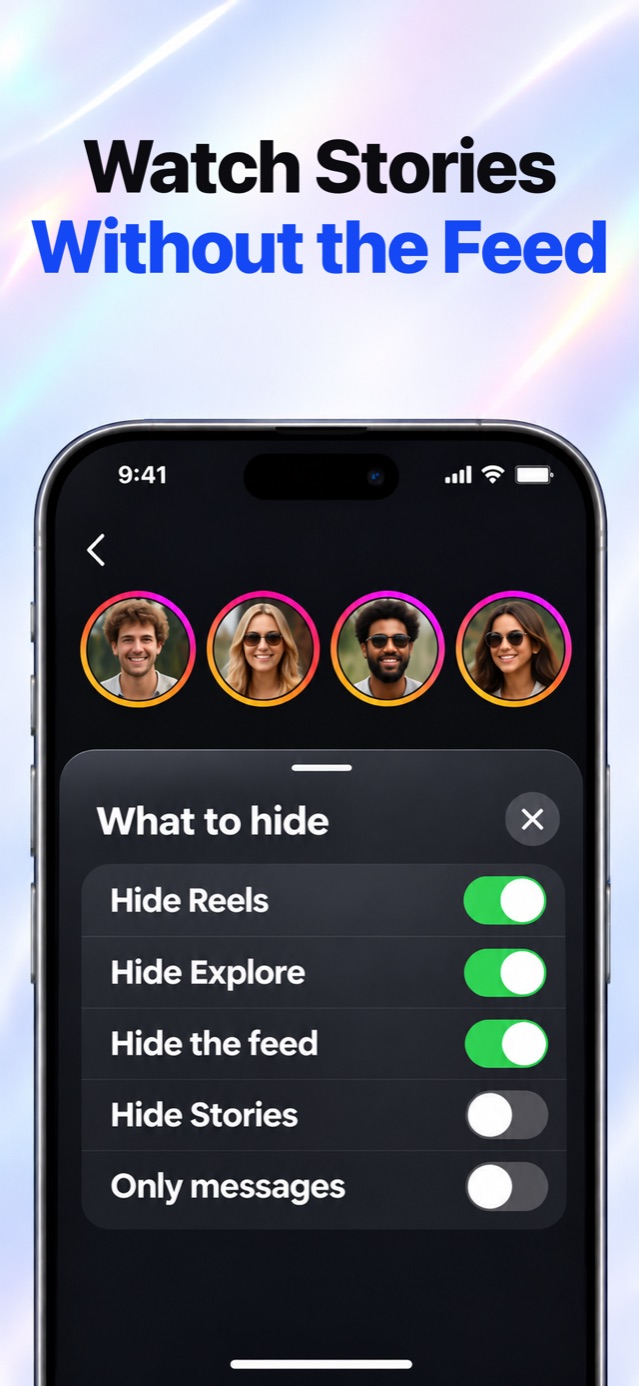
Unscroll is built for exactly this. You sign in on Instagram's own page inside the app, and it shows your inbox, chats, message requests and stories. Reels, the home feed and Explore are hidden from the start, and a What to hide panel lets you decide whether stories stay.
Messages you send from Unscroll arrive like any other Instagram DM. Your friends won't know anything changed, and the conversations stay in sync with the Instagram app if you open it later.
Stop opening the Instagram app out of habit
Hiding Reels in one app doesn't help if your thumb still opens Instagram twenty times a day. Unscroll can lock the Instagram app through Apple's Screen Time while your messages stay open in Unscroll. When you need the real app to post a story or take a call, you choose a reason and get a few minutes. After three unlocks, that's it for the day.
Give it a week before deciding. The first days feel odd because the habit is still there. After that, opening your inbox and closing it again a minute later starts to feel normal.
Common questions
Will my friends know I'm not using the Instagram app?
No. Messages sent from Unscroll appear in their chat exactly like any other Instagram DM.
Does Instagram Lite remove Reels?
Instagram Lite is an Android app and it still includes Reels. It also isn't available on iPhone.