
Can you turn off Instagram Reels?
No. As of November 2026, Instagram has no setting that turns off Reels or removes the Reels tab. You can mute Reels notifications and hide some suggested videos, but Reels stay in the app. To use Instagram with Reels fully hidden, you need a separate app such as Unscroll.
The settings people think turn off Reels
Plenty of articles describe a Show Reels toggle. We couldn't find one in the current iPhone app, and Instagram's help pages don't mention it. These are the settings that do exist and what each one does:
- Notifications, Live and Reels: stops alerts about new Reels. Reels themselves stay.
- Not interested on a Reel: shows you fewer videos like it. Reels keep coming.
- Snooze suggested posts: hides suggested posts in the feed for 30 days. Reels from accounts you follow still show.
- Following feed: a time-ordered feed of accounts you follow. You have to pick it each time you open the app.
Is there a way to disable Instagram Reels completely?
The bottom bar is fixed by Instagram. You can't rearrange it or hide icons, and over the past few years Reels has only moved closer to the centre of the screen. Meta hasn't said it plans to add an off switch, and the petitions asking for one have gone unanswered.
What to use if you want Reels gone
If the goal is Instagram for talking to people, Unscroll is the closest thing to an off switch. It opens on your inbox, and Reels, Explore and the home feed never load. Stories from people you follow stay unless you hide them.
Because you sign in on instagram.com, your account works as normal: same chats, same friends, same profile. Unscroll never posts or follows anyone for you.
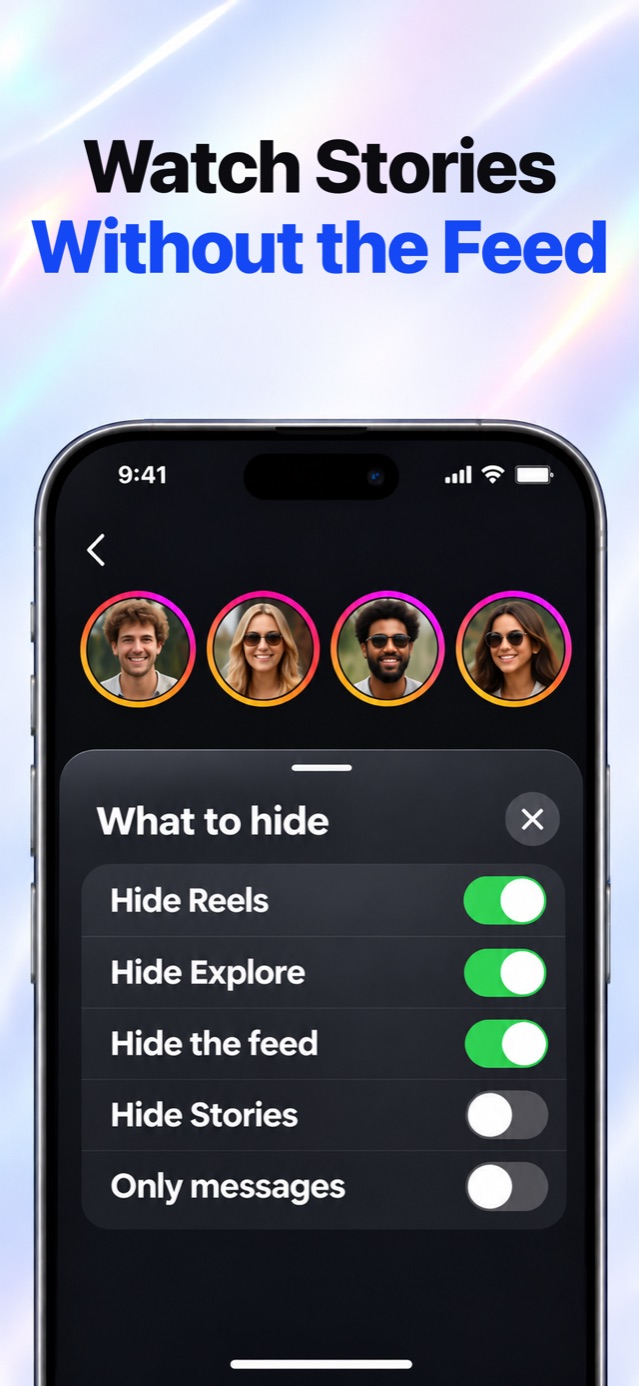
Reels that friends send you
Friends will keep sharing Reels in your DMs. In Unscroll they show up as shared posts in the chat. You can still open one when a friend sends it, so you don't miss the joke, but it won't lead you into an endless feed afterwards.
How the options compare
If you're deciding what to try first, this is roughly how each option holds up after a couple of weeks:
- Not interested and muting: free and built in, but Reels keep appearing and the tab never moves.
- Instagram in Safari: no app needed, though Reels and Explore are still a tap away and the site nags you to install the app.
- Screen Time limit on Instagram: stops the scrolling, and stops your messages along with it.
- Unscroll: Reels, Explore and the feed hidden, DMs kept, with an optional lock on the Instagram app. It needs a subscription after the free trial.
Common questions
Will Instagram ever add a way to disable Reels?
There's no sign of it. Meta has expanded Reels every year since 2020 and hasn't announced any off switch.
Does deleting and reinstalling Instagram reset Reels?
It can reset what Reels you're shown, but the Reels tab and Reels in your feed come straight back.